garlaunch
Application Launcher
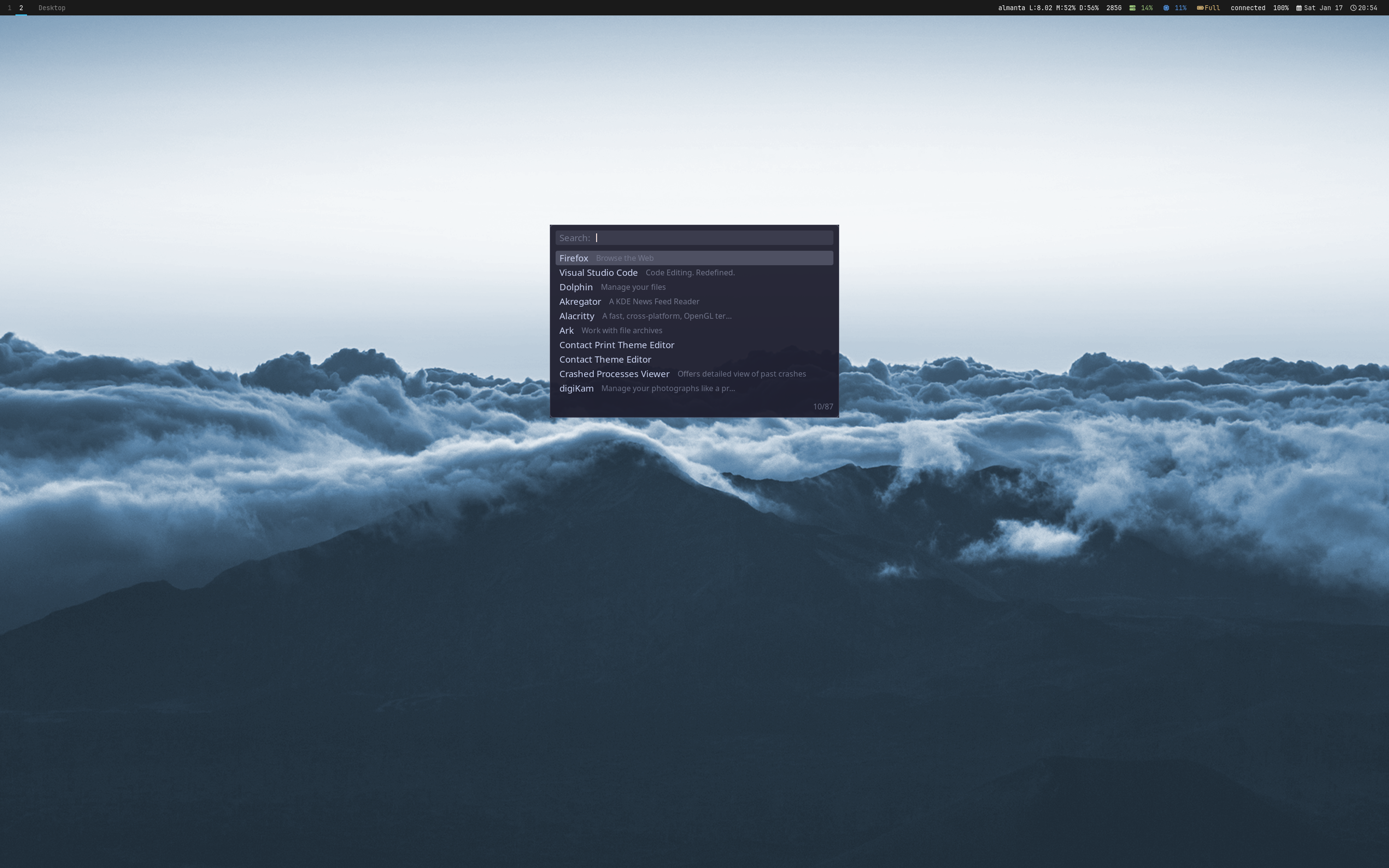
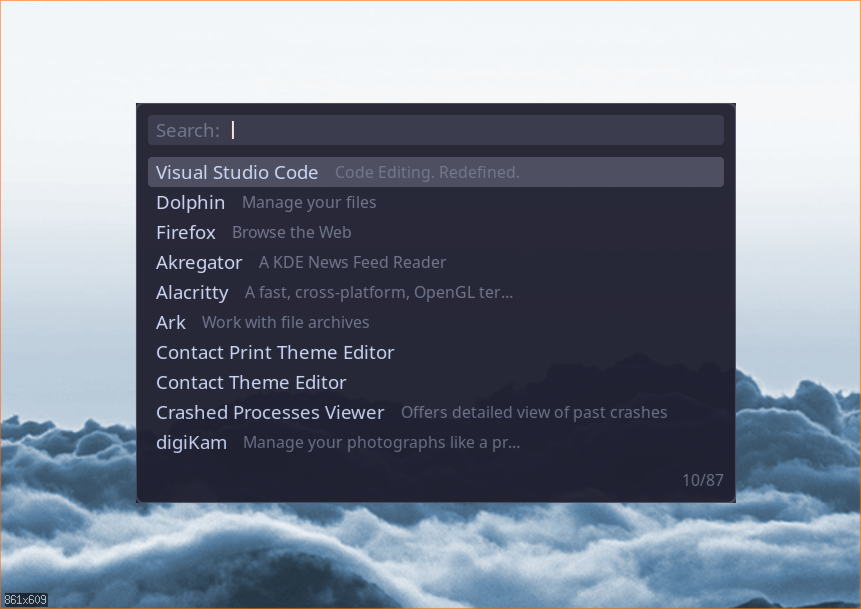
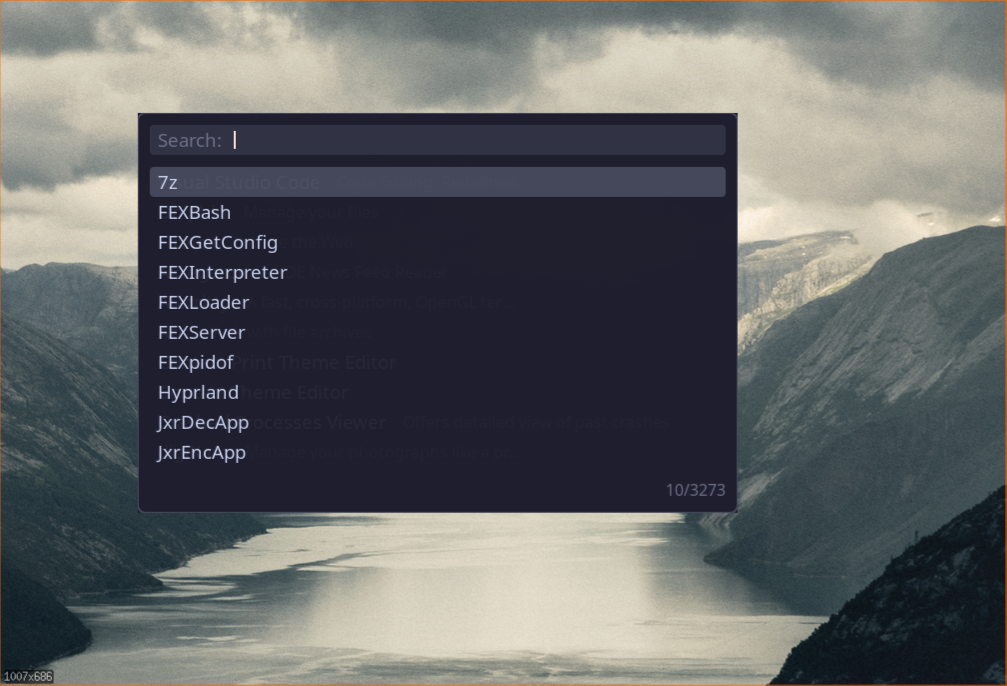
A dmenu/rofi-inspired application launcher for X11 with fuzzy search powered by nucleo. garlaunch features multiple modes: launch desktop applications (drun), run PATH commands (run), switch windows (window), or execute custom scripts (script). Built on gartk for consistent rendering and theming across the gar desktop suite.
Features
- Fuzzy search with nucleo matcher
- Frecency-based sorting for frequent applications
- Smart case matching and normalization
- Desktop entry mode (scans .desktop files)
- Command execution mode (PATH binaries)
- Window switcher mode (via gar IPC)
- Custom script mode with JSON protocol
- Daemon mode with IPC control
- Popup window centered on primary monitor
- Cairo/Pango rendering via gartk
- Keyboard grab for exclusive input
- Flatpak and Snap application support
- Scrollable item list with selection highlight
- garlaunchctl for external control
- Fallback to direct launch without daemon
Quick Start
Launch Applications
Type to search, Enter to launch, Escape to close.
Bind to Key in gar
-- Bind Mod+d to launch garlaunch
gar.bind("mod+d", function()
    gar.exec("garlaunch")
end)

-- Bind Mod+/ to window switcher
gar.bind("mod+slash", function()
    gar.exec("garlaunch --mode window")
end)Installation & Usage
1. Installation
Install garlaunch using the unified installer or build from source:
2. Basic Usage
3. Run as Daemon (Optional)
Run garlaunch as a daemon for IPC control via garlaunchctl:
4. Keyboard Shortcuts
| Key | Action |
|---|---|
| Type | Fuzzy search items |
| Enter | Activate selected item |
| Escape | Close launcher |
| Up / Down | Navigate items |
| Page Up / Down | Navigate by page (10 items) |
| Left / Right | Move cursor in input |
| Home / End | Jump to start/end of input |
| Backspace | Delete character before cursor |
| Delete | Delete character after cursor |
Configuration Reference
Note
garlaunch currently uses gartk theming and doesn't have a dedicated config file yet. Command-line arguments control behavior.
Command-Line Options
| Option | Description |
|---|---|
| --mode MODE | Set mode: drun, run, window, script (default: drun) |
| --prompt TEXT | Custom prompt text (default: "Search:") |
| --source PATH | Script source for script mode |
| --daemon | Run as daemon (IPC server mode) |
garlaunchctl Commands
| Command | Description |
|---|---|
| show [--mode MODE] [--source PATH] | Show launcher |
| hide | Hide launcher |
| toggle [--mode MODE] | Toggle visibility |
| status | Get daemon status |
Environment Variables
| Variable | Purpose |
|---|---|
| RUST_LOG | Set log level (debug, info, warn, error) |
| XDG_RUNTIME_DIR | IPC socket location (fallback: /tmp) |
| PATH | Used for run mode executable discovery |
Overview
garlaunch is an application launcher for X11 inspired by dmenu and rofi. It features fuzzy search, multiple modes, and extensibility via custom scripts.
Architecture
- gartk Integration: Uses gartk-x11 for window management, gartk-render for Cairo/Pango rendering
- nucleo Matching: Fast fuzzy matching with smart case sensitivity
- Mode System: Pluggable modes (drun, run, window, script)
- Event Loop: X11 event handling with keyboard grab
- IPC Server: Unix socket for external control (daemon mode)
File Locations
| $XDG_RUNTIME_DIR/garlaunch.sock | IPC socket (daemon mode) |
| $XDG_RUNTIME_DIR/gar.sock | gar IPC socket (window mode) |
| /usr/share/applications | System .desktop files |
| ~/.local/share/applications | User .desktop files |
Modes
garlaunch supports four modes, each providing a different set of items to search and select.
drun (Desktop Apps)
Desktop entry mode parses .desktop files from XDG application directories.
Search Paths
~/.local/share/applications (user apps)/usr/share/applications (system apps)/usr/local/share/applications (local apps)~/.local/share/flatpak/exports/share/applications (user Flatpak)/var/lib/flatpak/exports/share/applications (system Flatpak)/var/lib/snapd/desktop/applications (Snap apps)Parsing Rules
- Uses freedesktop_entry_parser crate
- Skips entries with NoDisplay=true or Hidden=true
- Requires Name and Exec attributes
- Extracts Comment for description, Icon for icon name
- Cleans Exec field codes (%f, %F, %u, %U, etc.)
- Deduplicates entries (first path wins)
- Sorts alphabetically by name
Exec Field Cleaning
Desktop entry Exec fields contain field codes (%f = single file, %F = multiple files, etc.). garlaunch strips these:
firefox %u → firefoxcode %F → codeecho %% → echo %run (Commands)
Command execution mode lists all executables from $PATH.
Discovery Process
- Splits $PATH by colon (:)
- Scans each directory for files
- Checks executable permission (mode & 0o111)
- Skips directories and hidden files (starting with .)
- Deduplicates (first in PATH wins)
- Sorts alphabetically
Execution
When you select an item, garlaunch executes it via shell (sh -c) to support pipes, redirects, and environment expansion.
Use Cases
- Quick command execution without terminal
- Launch GUI apps without .desktop files
- Run scripts from ~/bin or ~/.local/bin
window (Switcher)
Window switcher mode shows all windows from gar window manager.
gar Integration
- Connects to gar via Unix socket ($XDG_RUNTIME_DIR/gar.sock)
- Sends get_windows IPC request
- Parses JSON response with window list
- Displays title, class, instance, workspace
- On selection, sends focus_window IPC request
Window Info
| Field | Description |
|---|---|
| id | Window ID (u32) |
| title | Window title (_NET_WM_NAME) |
| class | WM_CLASS class |
| instance | WM_CLASS instance |
| workspace | Workspace number |
| focused | Currently focused (bool) |
Requirements
Window mode requires gar window manager to be running. If gar.sock doesn't exist, mode loads zero items.
script (Custom)
Script mode executes an external script that provides items via JSON protocol.
Protocol Overview
Initial Items Message
{
  "items": [
    {
      "id": "item1",
      "name": "First Item",
      "description": "Optional description",
      "icon": "optional-icon-name",
      "data": {"custom": "data"}
    },
    {
      "id": "item2",
      "name": "Second Item"
    }
  ]
}
Selection Message
{
  "selected": {
    "id": "item1",
    "name": "First Item",
    "description": "Optional description",
    "icon": "optional-icon-name",
    "data": {"custom": "data"}
  }
}
Action Response
// Launch a command
{"action": "launch", "command": "firefox"}

// Close launcher
{"action": "close"}

// Switch to another mode
{"action": "switch", "mode": "drun"}

// Custom action (returns to caller)
{"action": "custom", "data": {"foo": "bar"}}
Fuzzy Search
garlaunch uses the nucleo matcher for fast fuzzy searching with smart behavior.
Features
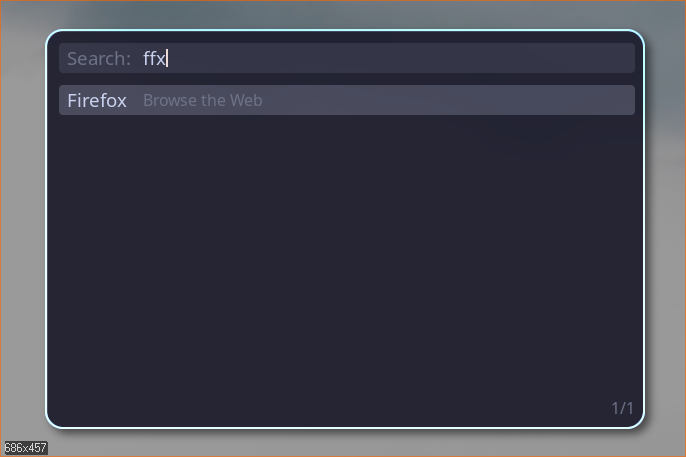
- Smart Case: Lowercase query matches case-insensitive, uppercase forces case-sensitive
- Normalization: Handles diacritics and unicode normalization
- Multi-Field: Matches against both name and description
- Scoring: Results sorted by match quality
Matching Algorithm
For each item, nucleo computes a score based on:
- Character positions (earlier matches score higher)
- Consecutive characters (word starts preferred)
- CamelCase boundaries
- Query coverage (more chars matched = better score)
Examples
firefxbrFrecency Sorting
garlaunch tracks how often and recently you launch applications, using a frecency algorithm (frequency + recency) with exponential decay to rank results. Frequently used applications appear higher in the list even before you start typing.
How It Works
- Each launch records a score bump of +1.0 for that application
- Existing scores decay exponentially based on time since last use
- Default half-life is 1 week (168 hours) — an app used once a week ago has score ~0.5
- Scores combine with fuzzy match quality when a search query is active
Cache Location
Frecency data is stored per-mode in tab-separated text files:
~/.cache/garlaunch/drun.cache    # Desktop application launches
~/.cache/garlaunch/run.cache     # Command execution launches
~/.cache/garlaunch/window.cache  # Window switch selections
Cache Format
Each line contains: id score last_access_timestamp
# garlaunch frecency cache v1
firefox.desktop	3.847521	1739523600
alacritty.desktop	1.923760	1739437200
code.desktop	0.961880	1739350800
Delete a cache file to reset frecency for that mode. Entries are sorted by score descending.
UI & Rendering
garlaunch uses gartk for X11 window management and Cairo/Pango rendering.
Popup Window
The launcher appears as a centered popup window.
Window Configuration
- Type: Popup window (override-redirect)
- Size: 600x400 pixels
- Position: Centered on primary monitor, upper third vertically
- Properties: Transparent background support, no decorations
- Input: Keyboard grab for exclusive input
Monitor Detection
Uses gartk_x11::primary_monitor() to detect the primary monitor via RandR extension. Window centered on this monitor's geometry.
Keyboard Grab
The window grabs keyboard focus exclusively (window.grab_keyboard()). This prevents input from reaching other windows. Grab released when launcher closes.
Input Field
The input field shows the search query with a prompt and blinking cursor.
Components
- Prompt: "Search:" (customizable via --prompt)
- Input Text: User's current query
- Cursor: 2px wide vertical bar at cursor position
- Background: Rounded rectangle with theme.input_background color
Cursor Movement
Cursor tracks character position (not byte index). Supports Left/Right arrow keys, Home/End for jump to start/end.
Text Editing
- Char key: Insert at cursor, advance cursor
- Backspace: Delete char before cursor
- Delete: Delete char after cursor
- Space: Insert space at cursor
Item List
Below the input field is a scrollable list of filtered items.
Layout
- Max Visible: 10 items at once
- Scrolling: Scroll offset adjusts when selection moves out of view
- Selection: Highlighted with theme.item_selected_background
- Item Height: Font size + 2× item padding
Item Rendering
- Name: Left-aligned, theme.font_size, vertically centered
- Description: Right of name, 85% font size, ellipsized if too long
- Colors: Selected items use theme.item_selected_foreground
Item Counter
Bottom-right corner shows "X/Y" where X = visible filtered items, Y = total items.
Theming
garlaunch uses gartk Theme system for consistent appearance.
Theme Colors
| Property | Usage |
|---|---|
| border | Window border color |
| input_background | Input field background |
| input_foreground | Input text color |
| input_placeholder | Prompt text color |
| input_cursor | Cursor color |
| item_foreground | Item text color |
| item_selected_background | Selected item background |
| item_selected_foreground | Selected item text |
| item_description | Description text color |
Current Behavior
Currently uses Theme::dark() hardcoded. Future versions will support custom themes via config file or gartk theme system integration.
Keyboard Control
All interaction is keyboard-driven through gartk's event system.
Key Handling Flow
Navigation Keys
| Key | Action |
|---|---|
| Up | Select previous item |
| Down | Select next item |
| PageUp | Select previous 10 items |
| PageDown | Select next 10 items |
Action Keys
| Key | Action |
|---|---|
| Enter | Activate selected item |
| Escape | Close launcher |
| Tab | (Reserved for mode switching) |
Daemon & IPC
garlaunch can run as a daemon to provide IPC control via garlaunchctl.
Daemon Mode
In daemon mode, garlaunch listens for IPC commands and spawns launcher instances.
Event Loop
Process Spawning
When a show/toggle command arrives, daemon spawns a new garlaunch process with appropriate --mode argument. Each launcher instance runs independently.
Socket Location
$XDG_RUNTIME_DIR/garlaunch.sock (fallback: /tmp/garlaunch.sock)
garlaunchctl
garlaunchctl is a control client for sending commands to the daemon.
Commands
Fallback Behavior
If daemon isn't running (socket not found or connection refused), garlaunchctl spawns garlaunch directly for show/toggle commands. This provides graceful degradation.
IPC Protocol
JSON messages over Unix socket.
Request Format
{
  "command": "show",
  "args": {
    "mode": "drun",
    "source": null
  }
}
Response Format
// Success
{
  "success": true,
  "data": null,
  "error": null
}

// Error
{
  "success": false,
  "data": null,
  "error": "Daemon not running"
}
gar Integration
garlaunch integrates with gar window manager for window switching mode.
GarClient
The GarClient struct handles IPC communication with gar via Unix socket.
Socket Path
$XDG_RUNTIME_DIR/gar.sock (fallback: /tmp/gar.sock)
IPC Methods
| Method | Request | Response |
|---|---|---|
| get_windows | {"command": "get_windows"} | Array of WindowInfo |
| focus_window | {"command": "focus_window", "args": {"id": 123}} | Success/error |
Availability Check
GarClient::is_available() checks if gar.sock exists. Window mode silently loads zero items if gar isn't running.
Script Protocol
External scripts provide custom menus via JSON over stdin/stdout.
Example Script
#!/bin/bash

# Output items
cat <<EOF
{
  "items": [
    {"id": "1", "name": "Option 1", "description": "First choice"},
    {"id": "2", "name": "Option 2", "description": "Second choice"},
    {"id": "3", "name": "Close", "description": "Close menu"}
  ]
}
EOF

# Read selection
read -r selection

# Parse selection and output action
item_id=$(echo "$selection" | jq -r '.selected.id')

case "$item_id" in
  1)
    echo '{"action": "launch", "command": "notify-send \"Option 1 selected\""}'
    ;;
  2)
    echo '{"action": "launch", "command": "notify-send \"Option 2 selected\""}'
    ;;
  3)
    echo '{"action": "close"}'
    ;;
esac
Usage
Common Workflows
Practical examples of using garlaunch in different scenarios.
Quick App Launcher (Mod+d)
Standard rofi/dmenu replacement bound to Mod+d:
gar.bind("mod+d", function()
    gar.exec("garlaunch")
end)
Window Switcher (Mod+/)
Quick window switching similar to Alt+Tab:
gar.bind("mod+slash", function()
    gar.exec("garlaunch --mode window")
end)
Daemon with garlaunchctl
Run daemon at session start for faster launches:
-- Start daemon once
gar.exec_once("garlaunch --daemon")

-- Use garlaunchctl for instant launch
gar.bind("mod+d", function()
    gar.exec("garlaunchctl show")
end)

gar.bind("mod+slash", function()
    gar.exec("garlaunchctl show --mode window")
end)
Custom Power Menu Script
Create a power menu with shutdown/reboot/logout options:
#!/bin/bash
cat <<EOF
{
  "items": [
    {"id": "logout", "name": "Logout", "description": "End session"},
    {"id": "reboot", "name": "Reboot", "description": "Restart system"},
    {"id": "shutdown", "name": "Shutdown", "description": "Power off"}
  ]
}
EOF

read -r selection
action=$(echo "$selection" | jq -r '.selected.id')

case "$action" in
  logout)
    echo '{"action": "launch", "command": "pkill gar"}'
    ;;
  reboot)
    echo '{"action": "launch", "command": "systemctl reboot"}'
    ;;
  shutdown)
    echo '{"action": "launch", "command": "systemctl poweroff"}'
    ;;
esacgar.bind("mod+shift+e", function()
gar.exec("garlaunch --mode script --source ~/.config/gar/scripts/power-menu.sh")
end)Clipboard History Script
Show clipboard history from clipman:
#!/bin/bash
items=$(clipman show-history | jq -Rs 'split("\n") | map(select(length > 0)) | to_entries | map({"id": (.key | tostring), "name": .value})')
echo "{\"items\": $items}"

read -r selection
text=$(echo "$selection" | jq -r '.selected.name')
echo "$text" | xclip -selection clipboard
echo '{"action": "close"}'
Command Runner with History
Use run mode for quick command execution:
-- Mod+r for run mode
gar.bind("mod+r", function()
    gar.exec("garlaunch --mode run --prompt 'Run:'")
end)
IPC & API Reference
garlaunch provides IPC control via Unix domain sockets when running in daemon mode. The garlaunchctl client sends commands to the daemon.
Socket Location
$XDG_RUNTIME_DIR/garlaunch.sock Fallback: /tmp/garlaunch.sock
IPC Commands
| Command | Args | Description |
|---|---|---|
| show | mode?, source? | Show launcher in specified mode |
| hide | - | Hide launcher window |
| toggle | mode? | Toggle launcher visibility |
| status | - | Query daemon status |
Request Format
JSON messages sent over Unix socket:
{
  "command": "show",
  "args": {
    "mode": "drun",
    "source": null
  }
}{
"command": "toggle",
"args": {
"mode": "window"
}
}Response Format
{
  "success": true,
  "data": null,
  "error": null
}{
"success": false,
"data": null,
"error": "Daemon not running"
}garlaunchctl Usage
gar Integration IPC
Window mode communicates with gar via its IPC socket:
| Command | Purpose |
|---|---|
| get_windows | Fetch list of all windows from gar |
| focus_window | Focus a window by ID |
Script Mode Protocol
Scripts communicate via stdin/stdout JSON:
| Direction | Format | Description |
|---|---|---|
| script → garlaunch | {"items": [...]} | Initial item list |
| garlaunch → script | {"selected": {...}} | User selection |
| script → garlaunch | {"action": "..."} | Action response |
Action Types
| Action | Args | Description |
|---|---|---|
| launch | command | Execute command and close |
| close | - | Close launcher |
| switch | mode | Switch to different mode |
| custom | data | Return custom data to caller |
Troubleshooting
garlaunch window doesn't appear
Check display and X11 connection:
No desktop applications found (drun mode)
Verify .desktop file locations:
Window mode shows no windows
Check gar connection:
Window mode requires gar window manager to be running.
Script mode fails
Debug script issues:
Script must output valid JSON on first line.
garlaunchctl connection refused
Check daemon status:
garlaunchctl falls back to direct launch if daemon isn't running.
Keyboard input not working
Check keyboard grab:
If another application has keyboard grab, garlaunch may fail to grab input. Close other applications with grabs (like other launchers, screen lockers).
Fuzzy search not finding items
Search tips:
- Try abbreviations (e.g., "fx" for Firefox)
- Use lowercase for case-insensitive search
- Check item names with debug logging
- nucleo matches against both name and description
Application won't launch
Check Exec command:
Commands are executed via sh -c, so shell syntax (pipes, redirects) works.